

In the United States, employers usually have broad legal authority to track what happens on a work computer they own or control, especially when the monitoring is tied to security, compliance, productivity, or protection of company data.
In most cases, that means an employer can monitor work email, internet usage, files stored on the device, software usage, log-in activity, and traffic moving through the employer’s network.
Federal electronic-communications law still matters, but it contains exceptions that often favor employers when the monitoring happens in the ordinary course of business or with employee consent.
That does not mean employers can do anything they want. The real legal limits usually come from four places: state notice laws, labor law protections, anti-discrimination law, and laws protecting access to truly personal accounts. A lot of confusion comes from treating “company device” and “private life” as the same thing.
They are not. If the laptop is the employer’s and the network is the employer’s, your privacy expectation is usually lower. But lower is not the same as zero, and there are still legal boundaries around how that data can be collected and used.
Why Employers Usually Have the Upper Hand on a Work Computer

The starting point is ownership and control. If the employer owns the computer, pays for the email system, controls the internet connection, and publishes an acceptable-use policy, courts and statutes often treat monitoring as part of ordinary business operations.
The Electronic Communications Privacy Act generally restricts unauthorized interception of communications, but official federal summaries note exceptions for providers and operators acting in the normal course of service and for situations involving consent.
In practical terms, that is why employee handbooks, log-in banners, and IT use policies matter so much. They are often part of the employer’s legal foundation for monitoring.
That is also why many employers can lawfully inspect business records created on work systems. If you send messages through a company email account, browse through the employer’s network, or save files to the company drive, those activities are usually much easier for the employer to review than activity in a truly private account on a personal device.
The law is generally more protective against unauthorized access to stored communications, but that protection is weaker when the system belongs to the employer and the employee was on notice that monitoring could occur.
What Employers Can Usually Track
As a practical matter, employers are generally on firm legal ground when they track the kinds of activity most companies say they track in written policy: work email, internet access and usage, log-in history, time spent on applications, downloads, file transfers, and attempts to move company information outside approved systems.
State monitoring statutes in places like Connecticut, Delaware, and New York explicitly refer to monitoring telephone transmissions, electronic mail, and internet usage, which shows how mainstream these categories of monitoring have become.
They can also usually track security-related events such as failed log-ins, use of unauthorized software, copying to USB devices, access to restricted folders, and suspicious outbound traffic.
The FTC’s business guidance emphasizes that companies should build strong access controls, authentication systems, and device-security practices, which is one reason employers increasingly log and review activity on work machines.
Monitoring for cybersecurity threats is not just common; in many sectors it is part of basic legal and regulatory risk management.
A useful way to think about it is this: if the activity is tied to the employer’s device, system, records, or network, the employer usually has a strong argument for tracking it.
Type of activity on a work computer
Employer usually allowed to track?
Why
Work email sent or received through company systems
Usually yes
Employer controls the account and system
Internet browsing on company network
Usually yes
Often covered by policy and notice laws
Files saved on company drives or cloud storage
Usually yes
Employer owns the storage environment and business records
Log-in history, app usage, downloads, security alerts
Usually yes
Core cybersecurity and compliance monitoring
Personal accounts opened on a company device
Sometimes, but with more legal risk
State personal-account laws can limit access demands
Where Employers Start Running into Legal Limits
The first major limit is notice. A few states require employers to tell employees when electronic monitoring is happening. Connecticut law requires prior notice for electronic monitoring and includes restrictions for areas designed for employees’ health or personal comfort.
Delaware law says an employer may not monitor or intercept a Delaware employee’s telephone conversations, email, or internet access unless the employer uses one of the notice methods the statute allows. New York requires private employers that monitor phone, email, or internet usage to provide written or electronic notice and to post that notice conspicuously.
The second major limit is the labor law. Federal labor law protects most private-sector employees when they act together to discuss wages, hours, and working conditions. That means an employer cannot lawfully use technology in a way that interferes with protected concerted activity or retaliates against workers for exercising those rights.
The NLRB’s employee-rights guidance makes clear that workers have the right to act with co-workers to improve workplace conditions, whether or not a union is involved.
The third major limit is anti-discrimination law. This becomes especially important when monitoring moves beyond ordinary computer activity and into health, location, or biometric data.
View this post on Instagram
The EEOC’s current guidance on workplace wearables warns that using wearable devices to gather health-related information can trigger ADA and other equal-employment-law problems, and the agency has specifically highlighted legal risks tied to collecting biometric or health data and then using it in employment decisions.
The fourth major limit is personal-account privacy. Even when an employer owns the device, some states prohibit employers from demanding access to personal social media or other personal accounts.
California Labor Code section 980 bars employers from requiring employees or applicants to disclose usernames or passwords for personal social media or to access that personal social media in the employer’s presence.
New York’s Labor Law section 201-i similarly restricts employer demands for access to personal accounts and states that even where the employer paid for the device, that does not permit access to personal accounts on that device. NCSL tracks these laws nationally and notes that many states now restrict employer demands for personal-account credentials.
The Difference Between a Company Account And a Personal Account Matters a Lot
This is where many employees get caught off guard. Opening a personal Gmail, WhatsApp Web, Instagram, or cloud drive on a work laptop does not magically make that account fully open to the employer. But it can expose pieces of that activity indirectly.
An employer may still see that you visited the site, how long you were connected, whether files were uploaded or downloaded, and sometimes cached or stored information on the device itself. What the employer usually has a weaker claim to is forcing you to hand over the password or directly enter a purely personal account when state law protects that account.
That means employees should separate two questions. The first is whether your employer can see evidence that you used a personal service on a work machine. Very often, yes. The second is whether the employer can lawfully require direct access to the contents of your personal account. In a growing number of states, that answer is much more limited.
Can They Read Your Messages?
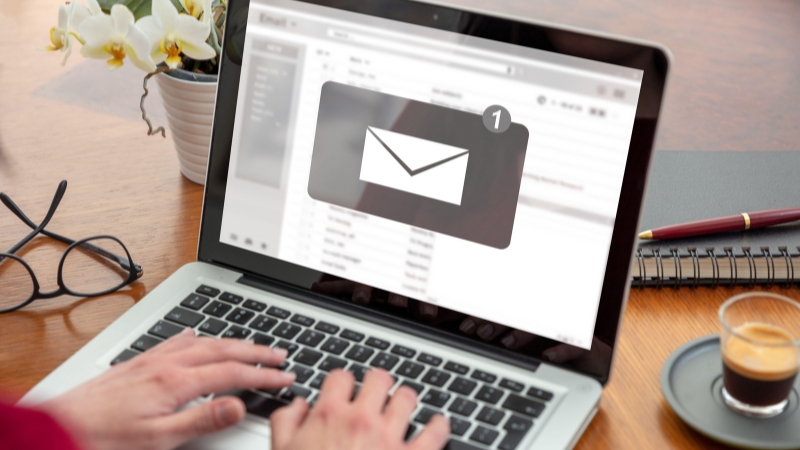
If the messages are in your company email account, the employer usually has a strong legal argument for reading them, especially if policies say the account is for business use and subject to monitoring.
If the messages are in a private account, the answer becomes more fact-specific. The employer may still be able to review data stored locally on the company device or evidence that company systems were used, but access to the contents of a truly personal account can raise personal-account and stored-communications issues.
This is one reason heavily regulated industries push hard against off-channel communications. In finance, for example, employers may have legal duties to preserve certain business communications, which is why firms often ban business messaging through personal apps unless it can be captured and retained.
That does not erase employee privacy law, but it does explain why many employers insist that business conversations stay inside monitored systems.
Can They Watch Your Screen or Take Screenshots?
Often yes, if the device is company-owned and the practice is disclosed or tied to legitimate business purposes. There is no single federal statute that says “screen monitoring is always allowed,” but the same ownership, consent, security, and notice logic generally applies.
The legal risk rises when monitoring becomes unusually intrusive, secretive, where notice is required, or discriminatory in application. The safest legal ground for employers is visible, policy-based monitoring on employer systems for specific business reasons.
Can They Track Keystrokes or Productivity Software?

In many workplaces, yes. The legal question is usually not whether the software is called a “productivity tool,” but whether the tracking is disclosed, tied to legitimate business purposes, and used in a way that does not violate labor, discrimination, or state privacy rules.
NCSL’s workplace monitoring overview notes that state laws increasingly address employer electronic monitoring, notice, and the use of automated tools. That trend matters because employers are using more software that scores, flags, or evaluates workers based on digital activity.
The higher the monitoring moves from simple system logs to algorithmic judgment, the more legal exposure the employer can create. Tracking that says “this user copied files to a USB drive” is easier to defend than software that quietly profiles workers or feeds biased employment decisions.
That is why modern workplace-monitoring law is no longer just about privacy. It is also about fairness, discrimination, and worker rights.
Biometrics, Health Data, and Wearables Are a Different Category
Once an employer starts collecting data like heart rate, fatigue, body temperature, movement patterns, or similar health-related signals, the legal analysis changes.
The EEOC has warned that directing employees to use wearable devices in order to obtain health-related information can create compliance issues under federal equal-employment law, and that some uses of wearable data may amount to disability-related inquiries or medical examinations under the ADA unless a legal exception applies.
The agency also warns against selective or retaliatory use of such monitoring.
So an employer may be on relatively solid ground when tracking log-ins and web traffic on a work laptop, but on much shakier ground if it uses technology to infer disability, pregnancy, medical conditions, or other protected traits and then acts on that information.
Type of monitoring
Legal risk level
Main issue
Work email and internet logs
Lower
Ownership, notice, business purpose
App usage, downloads, file transfers, security logs
Lower to moderate
Cybersecurity and data-loss prevention
Monitoring personal accounts on a work device
Moderate
State personal-account privacy laws
Monitoring discussions about pay or conditions
Higher
NLRA protected concerted activity
Biometric, health, or wearable-device data
Higher
ADA and anti-discrimination concerns
What This Means in Real Life
If you are using a work computer, you should assume your employer can probably see more than you think. That includes websites visited, files handled, external devices used, work email, and the general pattern of what you do on the machine.
If the company has a written monitoring policy, a login banner, or required acknowledgments, its legal position gets stronger. In Connecticut, Delaware, and New York, notice rules matter even more because the statutes specifically regulate how employers notify workers about electronic monitoring.
But you should not assume that a “company laptop” gives the employer unlimited access to every corner of your digital life. Personal-account laws in many states limit password demands and forced access.
Labor law still protects collective discussion about workplace conditions. Anti-discrimination law still limits how monitoring data can be used. And if an employer operates in a state with notice requirements, secret monitoring can create its own legal problem.
Bottom Line
@adjacentnode Your IT team can see way more than you think when you’re on that work laptop. VPN or Zero Trust, everything you do online routes through the company. YouTube, Gmail, whatever, it’s logged. We’re not watching you… unless there’s an incident. Then yeah, we see everything. Trust me, James knows what he did. #tech #it #cybersecurity #stem #workfromhome ♬ original sound – Kevin Nanns
Your employer is usually legally allowed to track most activity on your work computer if it owns the device or network and the monitoring serves a business purpose, especially where you were on notice that monitoring may occur. In some cases, employers may also review public arrest records, and under certain company policies or state laws, even an arrest alone can affect continued employment.
A similar employment principle appears in other situations: an arrest alone often does not automatically justify termination, although employers may still review conduct that affects workplace policies or trust.
That usually includes company email, internet usage, files, software activity, and security events. What employers are not free to do is ignore state notice laws, demand access to protected personal accounts, use monitoring to interfere with protected worker activity, or turn tracking data into discrimination.